 The Boring Project
Is Auto Apply Safe for Your Job Search?
Is auto apply safe? It is as safe as the tool's design and your own targeting allow, and the main auto apply risks fall into four groups: your platform accounts, your answers, your data and your reputation with employers.
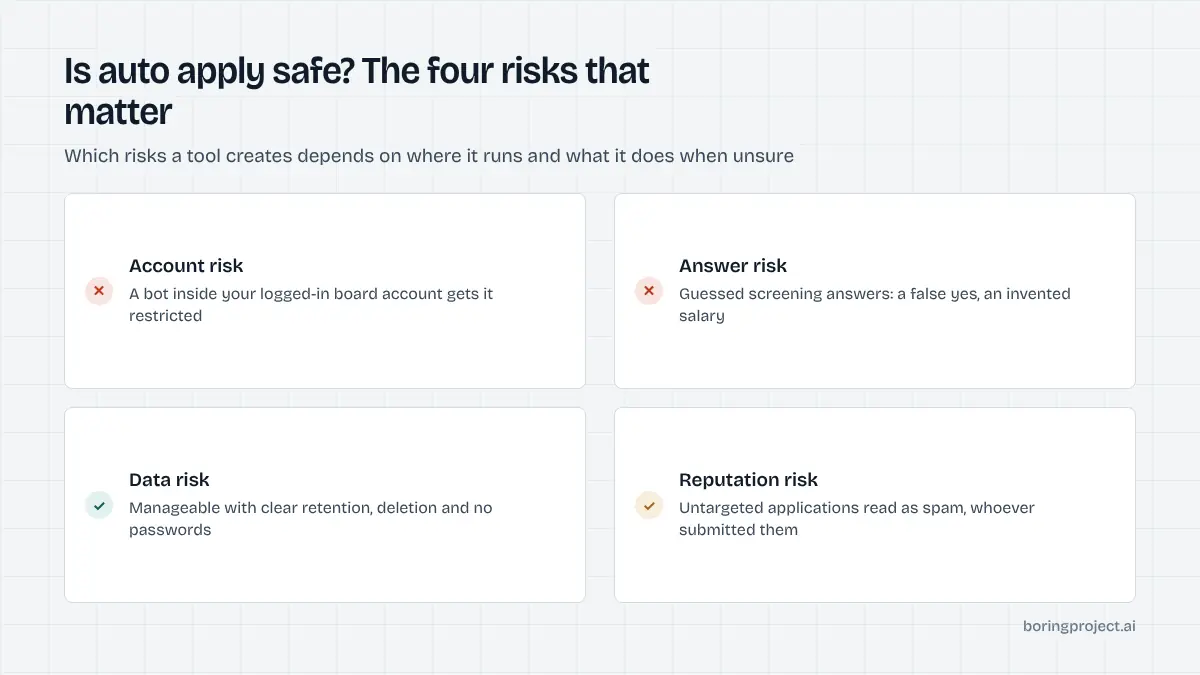
The four risks, honestly described
Most writing on this topic either dismisses the risks or exaggerates them to sell something. So, is auto apply safe? Here are the four risks as they actually present, and you can judge for yourself.
Account risk
This is the one people worry about most, and it is real for one class of tool. Bots that run inside your logged-in session on LinkedIn, Indeed or another job platform, clicking through that platform's in-app apply flow, violate those platforms' terms and produce behaviour the platforms are built to detect. The outcome is account restriction, sometimes permanent.
Tools that apply on the employer's own careers form do not have this problem. They never log into your accounts on any platform; they fill a public form the way any applicant does. Our post on LinkedIn Easy Apply automation explains the distinction in detail.
Answer risk
Every ATS asks screening questions, and a tool that cannot answer one from your profile has two choices: guess, or ask you. Guessing produces applications with a false yes on work authorisation, an invented salary expectation or a wrong notice period. At best these are rejected; at worst they surface in an interview or after an offer.
This risk is entirely about tool design. A tool that pauses with the question and waits for your answer eliminates it. A tool that promises never to interrupt you is telling you it guesses.
Data risk
You are handing a service your resume, contact details, work history and the answers to dozens of personal questions. That is the same data every employer receives, but concentrated in one place. The questions to ask are the standard ones for any data processor: how long is it kept, can you delete it, is it encrypted, who else sees it.
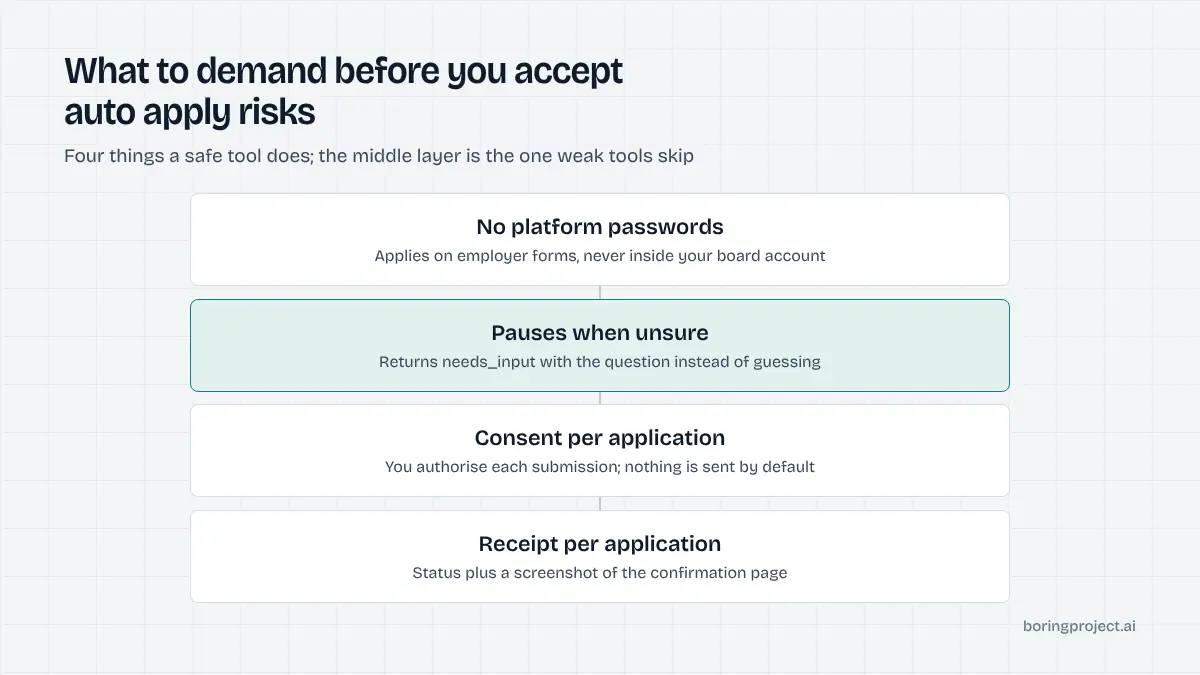
One hard line: a tool that applies on employer forms never needs your password to LinkedIn, Indeed or any other site. If it asks for one, it is a session bot, and you are back in the first risk category.
How to pick a tool that is actually safe
The good news is that safe design is observable from the outside. You do not need to inspect code; you need to ask a few questions and watch how the tool behaves on its first ten applications.
Questions to ask before you sign up
Five questions cover most of it:
- Does it apply on employer forms or inside your platform accounts?
- What does it do when it hits a question your profile does not answer?
- Does it record your consent per application, and can you set rules about what it may answer on your behalf?
- Does it return proof of each submission?
- Does it limit how often it applies to a single employer?
A tool that answers all five clearly is probably fine. A tool that is vague about any of them is asking for more trust than it has earned. The Boring Project's approach is candidate consent on every application, no fabricated screening answers, a needs_input pause for unknown questions, per-employer rate limits, and a screenshot receipt returned by webhook; those are the properties to look for whichever provider you choose.
Behaviour to watch in the first week
Run a small batch and read every receipt. Check that the resume attached was the right one, that the answers match your profile, and that the roles applied to pass your own filters. Look at the pending questions the tool raised: they should be genuine gaps in your profile, not things it should have known.
If a tool reports applications as submitted but you cannot find a confirmation from the employer, treat that as a failure. Proof is the point.
Red flags
Any one of these is reason to walk away:
- Requests for passwords to job platforms
- Promises of hundreds of applications a day with no mention of targeting
- No visible policy on screening answers
- No way to see what was submitted
- Marketing built on callback-rate statistics with no source
Safe practices on your side
Tool design is half of safety. The other half is how you use it.
Targeting is a safety feature
Tight filters do more for your reputation with employers than any other control. Set a title family, a seniority band, a location or remote policy, a salary floor and your hard exclusions.
Apply to one or two relevant roles per employer, never the whole careers page. An application to a role you would not accept is not a free option; it is noise with your name on it.
Keep the judgement
Let the tool type and click, and keep for yourself the decisions about which roles, which resume variant, and the answer to every new screening question. Review pending questions and receipts daily.
If the tool offers to generate cover letters, read them before they go out or turn the feature off.
Know the compliance picture
If you are using automation for other people, as a career service, reverse recruiter or agency, consent and data handling move from good practice to legal obligation. Our note on job application automation compliance covers the main points. For an individual applying for yourself, the same ideas apply informally: your consent is implied by using the tool, but the tool should still log it and respect its limits.
| Risk | Session bot in your account | Autofill extension | Agent on employer forms |
|---|---|---|---|
| Account restriction | High | None | None |
| Fabricated answers | Common | None, you answer | None if it pauses on unknowns |
| Data exposure | Your platform login plus profile | Profile in browser | Profile with a processor |
| Reputation with employers | Depends on targeting | Depends on targeting | Depends on targeting |
Frequently asked questions
Can auto apply get my LinkedIn or Indeed account banned?
Tools that run inside your logged-in session on a job platform and click through its apply flow can. Both LinkedIn and Indeed prohibit automated activity on their sites, and accounts that show bot-like behaviour get restricted. Tools that apply on employers' own careers forms do not touch those accounts, so this specific risk does not apply to them.
Will an auto apply tool lie on my application?
Some do, by guessing at screening questions they cannot answer from your profile. That can mean a false yes on work authorisation or a made-up salary figure, which is a real problem if it is discovered later. Choose a tool that states it never fabricates answers and pauses to ask you when it does not know.
Is it safe to upload my resume and personal data to an auto apply service?
It can be, with the same care you would apply to any service that holds personal data. Look for a clear retention policy, the ability to delete your profile, and encryption in transit and at rest. Be wary of any tool that asks for passwords to other sites; applying on employer forms never requires them.
Do employers penalise candidates who use auto apply?
Employers do not see the submission method, only the application. What they penalise is low quality: generic cover letters, answers that ignore the question, applications to roles that clearly do not fit, or five applications to unrelated roles at one company in a day. A well-targeted automated application reads exactly like a careful manual one.
What is the safest way to use auto apply?
Build a complete, truthful profile; set tight filters so only roles you would accept get applied to; use a tool that applies on employer forms rather than inside your platform accounts; insist on a pause for unknown questions and a receipt per application; and review the receipts and pending questions daily. Treat the tool as an assistant, not a replacement for judgement.
Is auto apply legal?
Applying for a job through software acting on your instruction is not illegal in itself. The legal edges are elsewhere: breaching a platform's terms of service by automating inside it, misrepresenting facts on an application, and data protection obligations on the tool provider. A tool that applies on employer forms with your consent and your answers stays clear of all three.
Next step
If you are building a product or service that applies for people, the safe properties above are built into our job application API: consent on every run, no fabricated answers, per-employer limits and a receipt per submission. Start there, or ask about Managed Applies if you would rather hand us the list.