 The Boring Project
Auto Apply vs Autofill: What Each Actually Does
Autofill fills the form and leaves submission to you; auto apply submits the application itself. This guide defines both, explains who presses submit and where the software runs, and shows when it is smarter to autofill job applications than to automate them end to end.
Definitions that actually hold up
Vendors use the two terms loosely, and some use "auto apply" for a product that only autofills. The test is simple: after the tool has done its work, is there still a submit button waiting for you? If yes, it is autofill. If no, it is auto apply.
The confusion is not accidental. "Auto apply" sells better than "form filler", so marketing pages blur the line. Read the how-it-works page rather than the headline, and look for the words "review", "approve" or "submit" to find out which side of the line a product sits on.
Autofill: software fills, you submit
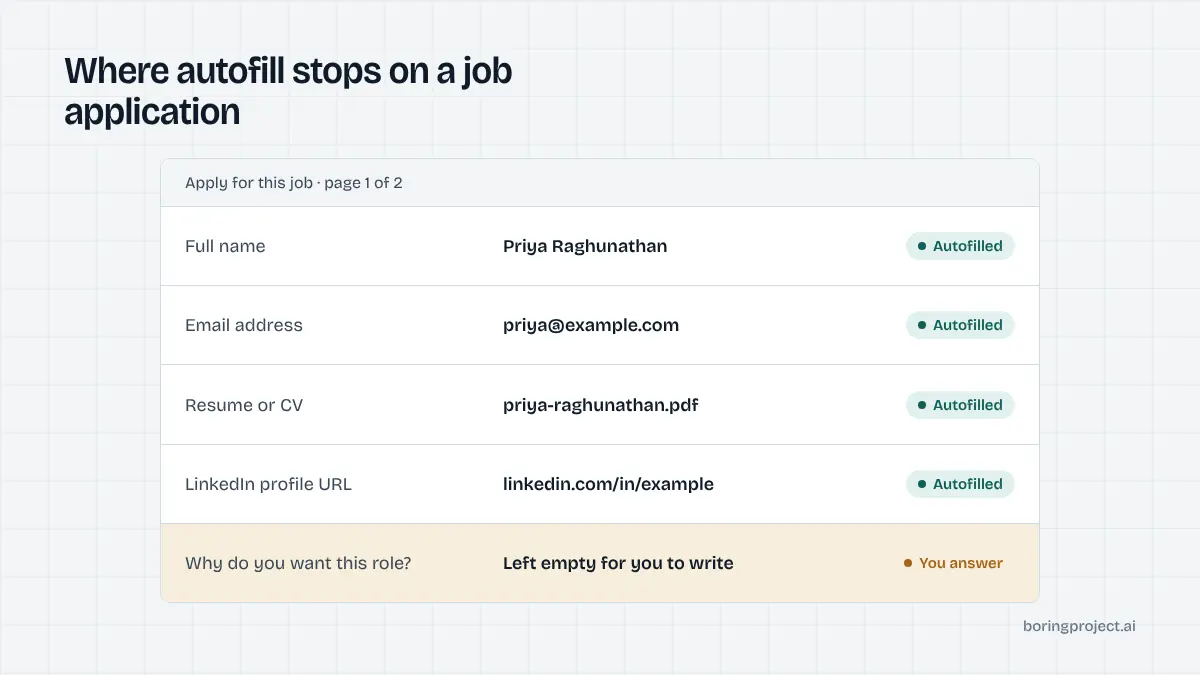
An autofill tool, almost always a browser extension, reads the employer's application form and populates it from your saved profile: contact details, work history, education, resume upload, and sometimes drafted answers for free-text questions. It then stops. You read the result, correct anything odd, and submit. The tool never acts without you present.
Auto apply: software fills and submits
An auto-apply tool completes the same form and also submits it. Some run in your browser and click submit in a tab you can watch; others run on the vendor's servers while you are away, finding roles and applying on a schedule. A few offer a review mode that queues filled applications for your approval, which is auto apply with a human gate.
The question that separates them
Who is responsible for what was submitted? With autofill, you are, and you had the chance to check. With auto apply, you are still responsible to the employer, but you may not have seen the answers. That is the whole auto apply vs autofill distinction in one sentence, and it drives everything else in this guide.
Who submits, where it runs, and what can go wrong
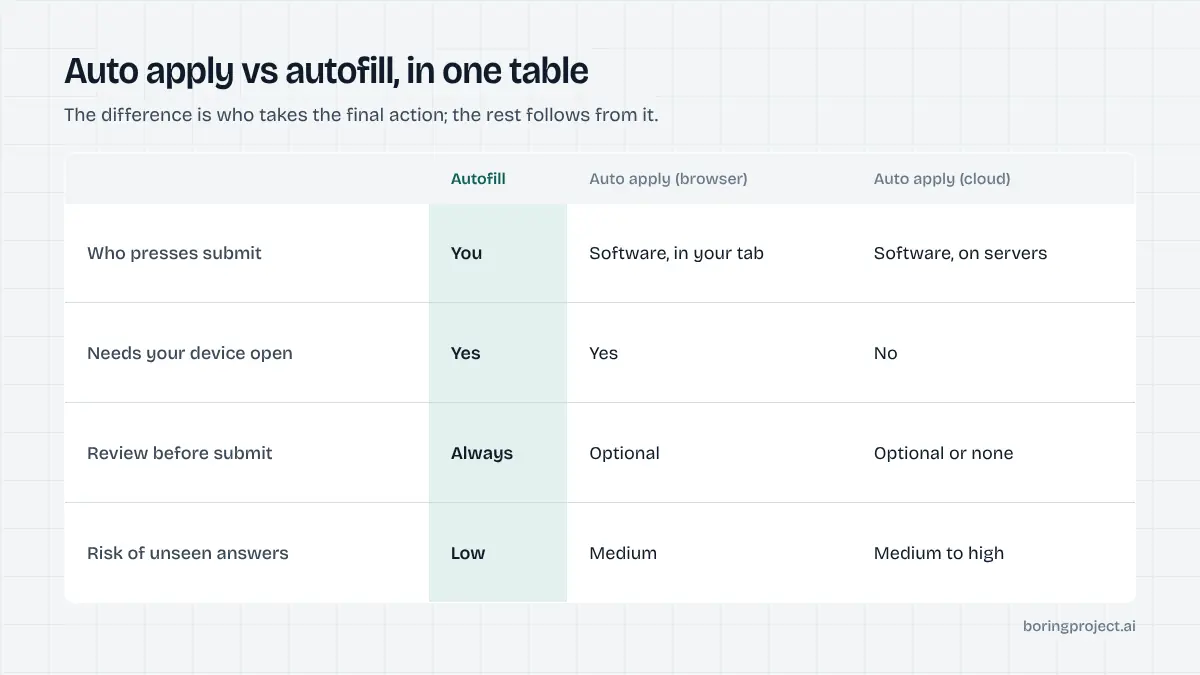
The two models differ on three practical dimensions. Each has consequences for speed, control and failure modes.
A fourth dimension, cost, follows from the first three. Autofill is cheap to run because your attention is the expensive input and you are supplying it. Cloud auto apply costs more because the vendor supplies servers, job discovery and the labour of maintaining form integrations across dozens of applicant tracking systems.
Who presses submit
With autofill it is always you. With auto apply it is the software, acting under permission you granted at setup. That permission is broad: it covers every job matching your filters, and every screening question the tool decides it can answer. Good auto-apply products narrow that permission with approval steps, pause controls and a needs_input state for questions they cannot answer honestly.
Where the software runs
Autofill runs in your browser, so it only works while your laptop is open and the tab is active. Browser-based auto apply has the same constraint. Cloud auto apply runs on the vendor's infrastructure, which is what makes overnight application volume possible. Our comparison of an auto apply Chrome extension versus a cloud agent covers the operational trade-offs in detail.
What can go wrong
Autofill failures are visible and cheap: a field maps wrongly, you notice, you fix it. Auto-apply failures are invisible and expensive: a bot answers a knockout question wrongly, the application is rejected, and you never learn why. Duplicate submissions, applications to roles you are ineligible for, and generic cover letters attached to the wrong company are the other common failure modes, all of which are explored in our guide to whether auto apply is safe.
| Autofill | Auto apply (browser) | Auto apply (cloud) | |
|---|---|---|---|
| Who submits | You | Software, in your tab | Software, on vendor servers |
| Needs your device open | Yes | Yes | No |
| Review before submit | Always | Optional | Optional or none |
| Throughput | Limited by your attention | Moderate | High |
| Risk of unseen wrong answers | Low | Medium | Medium to high |
| Typical pricing (2026 sites) | Free or low subscription | Subscription | Subscription or credits |
| Evidence per submission | Your own eyes | Varies | Varies; APIs return receipts |
When to use which
Neither model is universally better. The right choice depends on how many applications you need, how much variance there is in the forms, and whether you are applying for yourself or on behalf of others.
A practical way to decide: count the applications you realistically want to send this month, then estimate how many of them involve questions you would want to answer personally. If the second number is close to the first, autofill. If it is a small fraction, auto apply with a review gate for the exceptions.
Use autofill when quality per application matters most
If you are targeting a modest number of roles where a specific answer or a tailored note moves the needle, autofill job applications and keep your hand on the submit button. You get the speed on data entry without delegating judgement. This is also the right default for senior roles, career changes and anything involving clearances, licences or visa questions.
Use auto apply when volume is the constraint
If you are applying to standardised roles in a competitive market and the realistic bottleneck is hours, auto apply earns its place. Choose a tool with an approval step or at least pause and block controls, keep only one tool in auto-submit mode to avoid duplicates, and read the submission log weekly.
Use an API when you are applying for other people
Businesses that submit on behalf of candidates cannot use autofill at all; nobody is sitting at a browser for each of five hundred candidates. They need auto apply that behaves like infrastructure: candidate consent on every application, no fabricated screening answers, per-employer rate limits, a webhook with submitted, needs_input or failed, and a screenshot receipt. That is what a job application API is for, and it is a different product category from a consumer extension.
Frequently asked questions
Is autofill the same as auto apply?
No. Autofill fills in the fields of a job application form but stops before submission, so you review and press submit. Auto apply goes one step further and submits the application, either from your browser or from the vendor's servers. The difference is who takes the final action, and that determines accountability, speed and risk.
Which is safer for my job search?
Autofill is safer because every application still passes through your eyes before it goes out. Auto apply is safe only when the tool refuses to guess at screening questions, lets you pause or block employers, and gives you a record of each submission. If a tool cannot explain what it does on an unknown question, do not let it submit.
Do employers care whether I used autofill or auto apply?
Employers see the submitted application, not the tool. What they do notice is wrong or generic answers, duplicate submissions and applications for roles you are clearly not eligible for. Those problems are more common with careless auto apply than with autofill, because a person usually catches them before clicking submit.
Can autofill handle custom screening questions?
Partly. Most autofill tools reliably fill standard fields such as name, contact details, work history and resume upload. Custom questions like salary expectations, visa status or 'why this company' are handled inconsistently; some tools draft an answer for you to edit, others leave the field empty. Always check these fields before submitting.
Why do businesses use auto apply rather than autofill?
Autofill requires a person at a browser for every application, which does not scale across many candidates. Staffing agencies, job boards and career platforms that submit on behalf of candidates use an auto-apply API so submissions run server-side with candidate consent, return a webhook with status, and include a screenshot receipt for each one.
Is there a middle ground between the two?
Yes. Several tools offer a review mode where software fills the form and queues it, then waits for your approval before submitting. Others let you approve a job before the agent applies. Both preserve some control while removing the typing. For teams, the equivalent is a needs_input status that pauses a submission until a human supplies the missing answer.
Next step
If you are building a product that applies on behalf of candidates, the Apply API fills and submits the employer's ATS form, pauses with needs_input when a question cannot be answered honestly, and returns a screenshot receipt by webhook. Start with the job application API overview to see how it fits your stack.