 The Boring Project
How to Auto Apply on Pinpoint Applications
How to auto apply on Pinpoint comes down to one detail: this UK-built ATS feeds application answers straight into employer automation rules, so a pinpoint ats apply flow has to prioritise accurate screening answers over speed.
Why Pinpoint is different from the forms it resembles
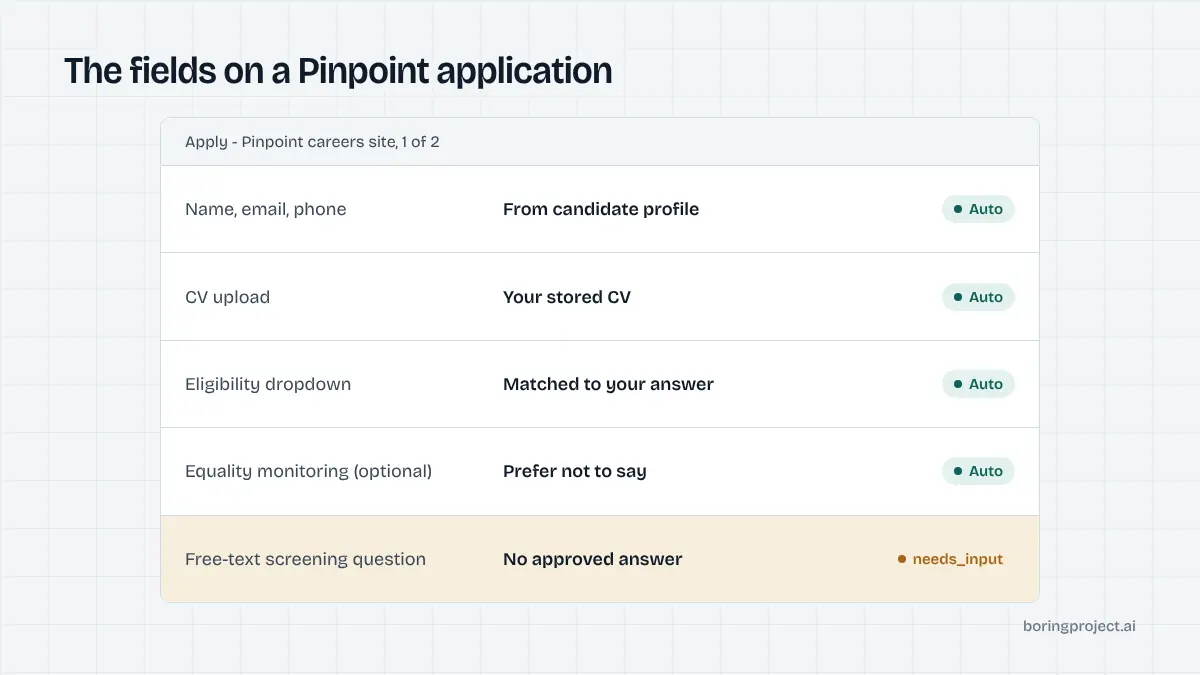
At first glance a Pinpoint application looks like any mid-market ATS form: contact details, CV upload, a few questions, submit. The difference is what happens to the answers. Pinpoint markets an automation engine that acts on form responses, which changes how a candidate, or a tool acting for one, should approach the form.
Answers trigger rules
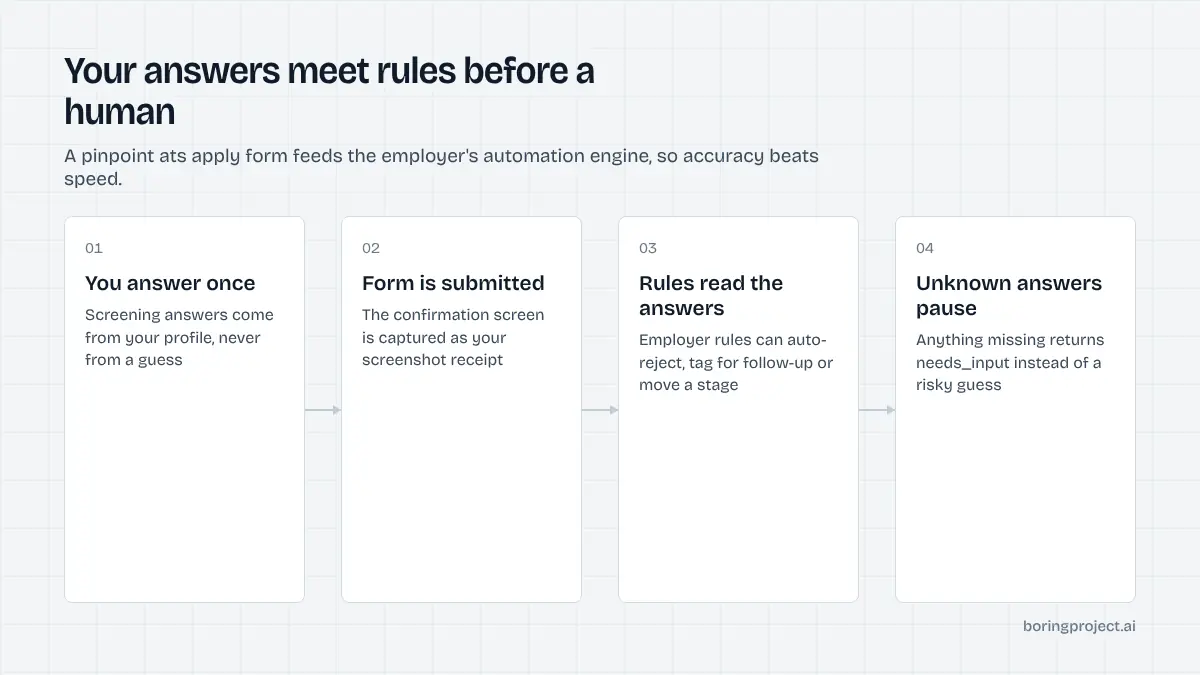
Pinpoint's own feature page describes application answers connecting to its automation engine. Employers can set rules that automatically reject candidates based on an answer, tag applicants for follow-up, or move them into a specific pipeline stage. Recruiters can also filter and report on answers.
For a job seeker, this means a careless click on a dropdown can end the application before a person sees it. For automation, it means screening questions are not decoration to be filled with plausible values; they are inputs to a decision.
The question library and conditional logic
Recruiters build questions once and reuse them across roles, and admins can enforce certain questions on every job. Role-specific questions and conditional logic are supported, so the form can branch depending on earlier answers. Each job can have its own form.
The practical consequence is that the same employer can present materially different forms across two postings. A tool that assumes the form it saw last week will miss new required fields.
Equality monitoring and sensitive data
Pinpoint forms can include equality monitoring questionnaires with options for different compliance regimes, and the system restricts who can see sensitive answers. In the UK these are voluntary and separate from the assessment. A tool should not answer them on a candidate's behalf unless the candidate has chosen to disclose; prefer-not-to-say or blank is the right default.
Applying on Pinpoint, step by step
Here is how to auto apply on Pinpoint in the order the form presents it, with notes on what an automated agent should do at each point.
Open the role and start the form
Pinpoint careers sites are usually branded to the employer, often on a careers subdomain. The job page has an apply button that opens the form. No login or account is required, and the form is designed to work on any device.
An agent should fingerprint the ATS here, confirm it is Pinpoint, and enumerate the form's fields and required flags before filling anything.
Fingerprinting matters because Pinpoint careers sites are heavily branded and do not always advertise the vendor. The structure of the form and the way it is embedded are more reliable signals than the domain name.
Fill contact details, upload documents, answer questions
Field types vary and each can be required or optional. Candidates upload a CV and any other requested documents; some forms include fillable PDFs or e-signature steps. Then come the screening questions.
For each question the agent should look for a truthful answer in the candidate profile. Where the profile has one, use it; where it does not, stop.
In The Boring Project's Apply API that stop is a needs_input webhook carrying the question text and options, and the application resumes once the candidate answers. The post on how ATS screening questions work explains why fabricated answers are the main cause of silent rejections.
Free-text questions deserve the same discipline. A two-line answer in the candidate's own words beats a paragraph generated from nothing, and on Pinpoint a recruiter can filter and report on those answers later.
Save, return, submit, and keep the receipt
Pinpoint lets candidates save progress and return later, which is helpful for long forms with document requirements. Once submitted, the candidate sees a confirmation; the employer's account sends any follow-up by email.
Because there is no candidate portal, the confirmation screen is the only immediate proof. A screenshot of it, stored with the job URL and timestamp, is what an agent should return as the receipt.
If a run was saved rather than submitted, it should be reported as exactly that. Pinpoint's save-and-return feature is convenient for people and a trap for sloppy automation, which can mistake a saved draft for a completed application.
Volume on Pinpoint without triggering the wrong rules
Pinpoint shows up often for anyone applying across UK employers, and it rewards careful handling at scale.
Rate and relevance
Pinpoint customers tend to be single employers rather than job boards, so hammering one tenant with dozens of applications from the same source in an hour is both pointless and conspicuous. Per-employer rate limits should be the default.
Relevance matters more than rate. A candidate whose profile clearly does not match a role will hit a rejection rule regardless of how neatly the form was filled, and every one of those rejections is a wasted application and a small reputational cost with that employer.
Where it fits in a UK coverage plan
For staffing agencies, career services and job-search products working the UK market, Pinpoint sits alongside Workable, Greenhouse, Teamtailor and the big enterprise systems. Our overview of auto apply for UK jobs covers that landscape; Pinpoint's distinguishing feature is simply that screening answers carry more weight.
It also appears disproportionately in sectors with structured hiring, such as professional services, hospitality groups and early-careers programmes, where the question library and automation rules earn their keep. If your candidate pool skews toward those sectors, expect to meet Pinpoint forms regularly and build the question-answer memory accordingly.
A short checklist
| Check | Why it matters on Pinpoint |
|---|---|
| Read the form at runtime | Forms vary per job and branch on answers |
| Answer screening questions from the candidate's real data | Answers can trigger automatic rejection or routing |
| Leave equality monitoring to the candidate | Sensitive, voluntary, access-restricted |
| Capture the confirmation screenshot | No candidate portal exists to verify later |
| Throttle per employer | Single-employer tenants notice bursts |
Frequently asked questions
What is Pinpoint ATS?
Pinpoint is an applicant tracking system from a UK-based company, used by mid-sized employers in the UK and increasingly elsewhere. It combines a careers site builder, configurable application forms, a screening question library, and an automation engine that acts on candidate answers. Candidates apply without creating an account.
Do I need to log in to apply on a Pinpoint careers site?
No. Pinpoint states that its application forms require no login or account creation and work on any device. You can also save your progress and return later, which is unusual for a guest form. The trade-off is that there is no candidate dashboard; status updates arrive by email from the employer.
What kind of questions do Pinpoint application forms ask?
Employers build screening questions from a reusable library and can add role-specific ones with conditional logic. Expect dropdowns, yes/no, multiple choice and free text, plus document uploads for a CV and supporting files. Some forms include e-signature or fillable PDF elements. Admins can enforce certain questions across every job.
Are the equality monitoring questions on Pinpoint mandatory?
They are typically presented as a separate section and framed as voluntary, in line with UK practice. Pinpoint restricts who can see sensitive answers inside the employer's account. An automation tool should leave these blank or select the prefer-not-to-say option unless the candidate has explicitly chosen to provide answers.
How does Pinpoint use my application answers?
Answers feed Pinpoint's automation engine. Employers can set rules that automatically reject candidates based on a specific answer, tag them for follow-up, or move them to a pipeline stage. Because a machine may act on your answers before a human reads them, accuracy on screening questions matters more here than on many other systems.
Can an auto apply tool complete a Pinpoint application end to end?
Yes, when the candidate profile holds answers to the role's screening questions. Fields that are not in the profile should pause the application rather than be guessed, because a wrong answer can trigger an automatic rejection rule. A tool should also capture the confirmation screen as a receipt, since there is no portal to check later.
Next step
Pinpoint is one of the 40+ ATS platforms covered by the Apply API, with screening answers drawn only from the candidate's profile and a screenshot receipt on every submission. If you have UK roles to fill at volume, talk to us about Managed Applies and send the list; we will return the receipts.