 The Boring Project
How to Auto Apply on Breezy HR Applications
A Breezy HR application is a single form with an optional questionnaire attached, and the questionnaire's question types decide whether an automated run submits straight through or pauses for the candidate.
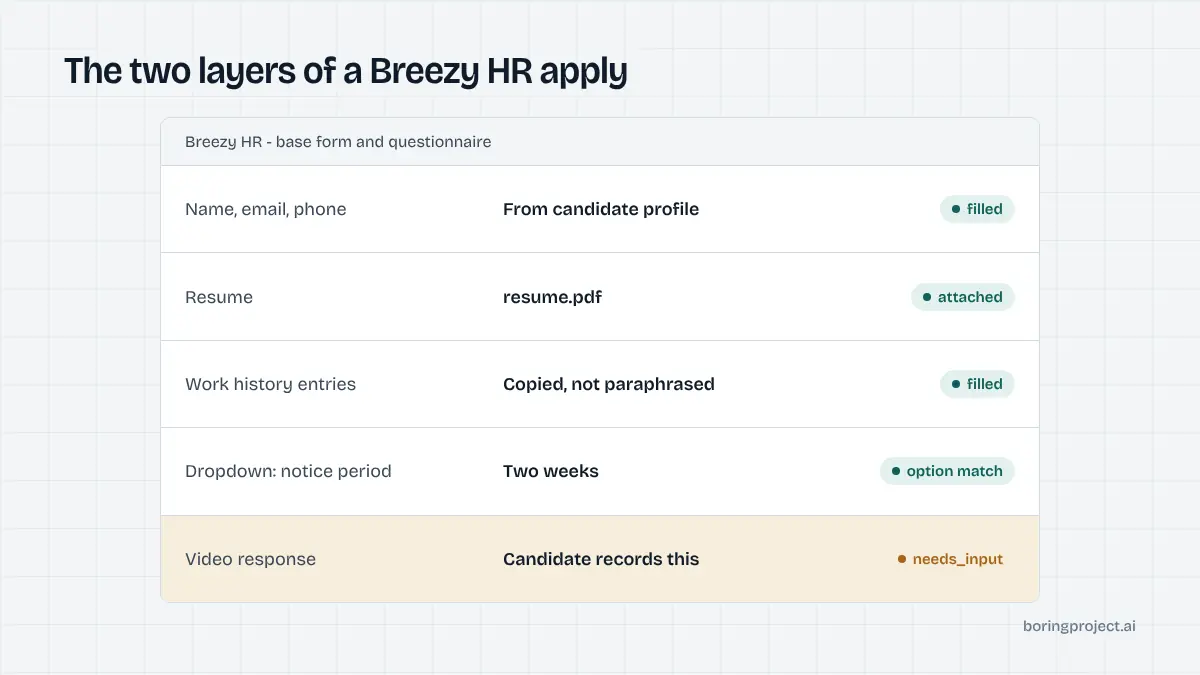
The two layers of a Breezy HR apply flow
Breezy HR is a small-business recruiting tool with a clean candidate experience. Employers publish positions to a hosted careers page, usually at companyname.breezy.hr, or embed the listings on their own site. Either way, the application has two layers: the base form and the questionnaire.
The base form
The base form collects general candidate information: name, email, phone, a resume, and optionally a cover letter. Employers can request work and education history, and some turn on fields for location, a portfolio link, or a LinkedIn profile.
No account is created. The candidate fills the form, attaches a file, and submits. For anyone asking how to auto apply on Breezy HR, this base layer is the easy part and behaves much like other SMB systems.
The questionnaire layer
Questionnaires are a paid-plan feature that lets employers add structured questions to the application. Breezy documents eight response types, and they fall into two camps from an automation standpoint.
| Question type | What the candidate does | Automatable |
|---|---|---|
| Text | Short written answer | Yes, from profile |
| Paragraph | Long written answer | Yes, if a candidate-approved answer exists |
| Multiple choice | Pick one option | Yes |
| Dropdown list | Pick one option | Yes |
| Checkboxes | Pick all that apply | Yes |
| File attachment | Upload a document | Yes, if the candidate supplied it |
| Video response | Record a short video | No, pauses |
| Reference check | Provide reference contacts | No, pauses |
Six of the eight can be completed from a well-structured candidate profile. The remaining two always require the candidate to act.
Multiple choice and dropdown answers can also trigger automatic stage moves on the employer side, which means an answer may route the candidate straight to a rejection or a shortlist without a human looking first. That is one more reason answers are drawn from the profile and never adjusted to look better.
Branching sections
On Business and Pro plans, Breezy offers advanced questionnaires split into sections. An answer to a dropdown or multiple-choice question routes the candidate to the next relevant section. The form is therefore not a fixed list; the agent has to re-read the page after each routing answer to see what appeared.
Walking through an automated Breezy HR submission
Here is how an automated submission moves through a Breezy posting, from URL to receipt.
Detection, consent, and the base form
The URL or page markup identifies the posting as Breezy-hosted. Before the form is touched, the system confirms the candidate consented to apply to this specific job. Consent is per application, not a blanket opt-in.
Contact fields are then entered from the profile and the resume is uploaded. If the employer asked for work history as separate entries rather than a resume, the agent fills each entry from the structured profile.
Dates and employer names are copied exactly, not paraphrased. Optional fields such as a portfolio link are filled only when the profile has a value, since an empty optional field is better than a made-up one.
Questionnaire pass
The agent reads each question, classifies its type, and decides whether it can answer. Multiple choice and dropdown items are matched against profile facts. Checkbox items are selected where the profile confirms them and left unchecked otherwise.
For text and paragraph questions, the agent uses answers the candidate has already approved for common prompts, such as notice period or salary expectations. Anything novel, like a role-specific essay, is surfaced as a needs_input pause rather than invented. The reasoning behind that split is laid out in our explainer on how ATS screening questions work.
Submit and receipt
Once every required question has an answer, the form is submitted. The confirmation screen is captured and returned by webhook with a submitted status and the screenshot attached. If the run paused, the same webhook carries needs_input with the exact question that needs the candidate.
Where Breezy HR runs pause
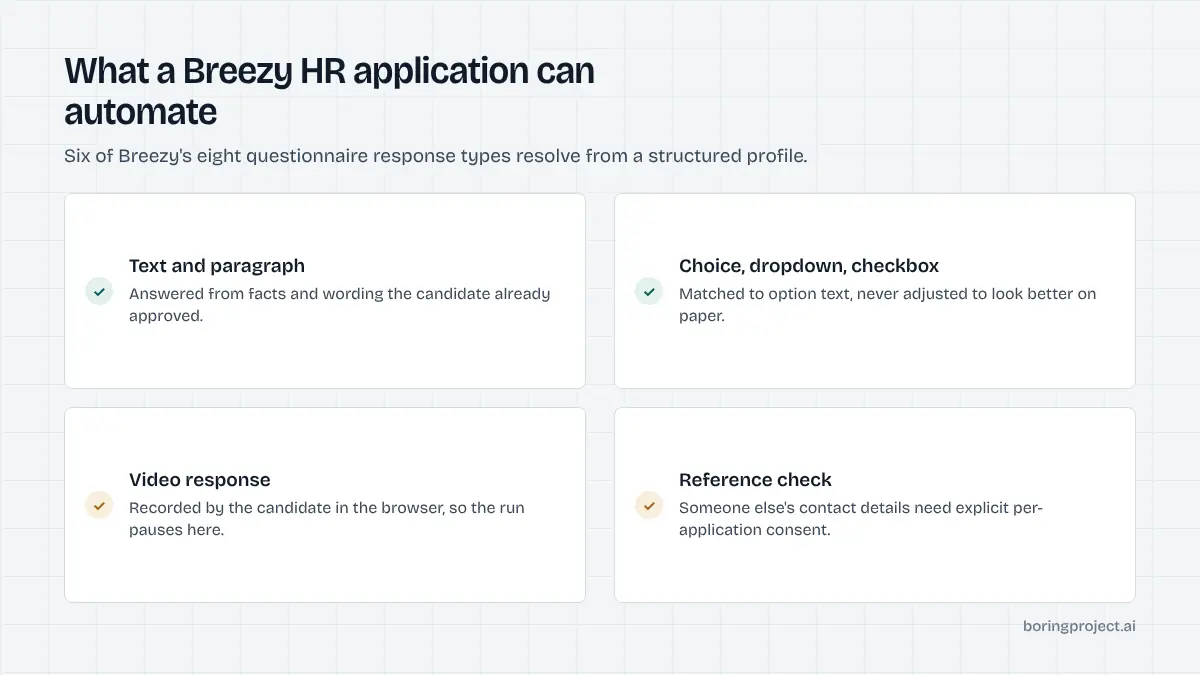
Breezy is friendlier to automation than most enterprise systems, but its questionnaire types create predictable pause points.
Video responses
A video response question asks the candidate to record a short clip in the browser. Automation does not and should not fabricate a video. The run pauses, the candidate records their answer, and the submission completes afterwards.
If your product sends candidates to Breezy jobs at scale, expect a share of them to hit this step and plan the user experience around it. Breezy's own guidance to employers recommends keeping video and file questions out of the initial application for job-board compatibility, so many employers move them to a later stage, but not all do.
Reference checks
Breezy can ask for a set number of references during the application and then email those contacts a short questionnaire. Supplying someone's contact details on a candidate's behalf is not something automation should do without an explicit, per-application confirmation, so this also pauses for input.
File questions and missing documents
If a questionnaire asks for a work sample or certificate and the candidate's profile does not contain one, the run stops and names the missing file. Uploading a placeholder would be worse than pausing, since the recruiter would see an application with a junk attachment.
Breezy's closest neighbour in this respect is JazzHR, which also uses questionnaires but adds knockout logic. If you cover both, read the JazzHR auto apply guide next.
Frequently asked questions
Where do Breezy HR job postings live?
Most Breezy careers pages are hosted at a company subdomain of breezy.hr, for example companyname.breezy.hr, with each position at its own path. Employers can also embed the listings in their own site. In both cases the application is submitted to Breezy, and the page structure is consistent enough to automate.
Does Breezy HR require candidates to create an account?
No. A Breezy HR application is a one-time form submission. Candidates provide contact details, a resume, and answers to any questionnaire the employer attached. There is no registration, password, or email verification step before submission, which keeps the automated flow short.
Which Breezy questionnaire questions can be answered automatically?
Text, paragraph, multiple choice, dropdown, and checkbox questions can be answered from the candidate profile when a confident answer exists. File attachment questions can be satisfied if the candidate supplied the requested document. Video response and reference check questions always pause the application for candidate input.
What happens when a Breezy job asks for a video response?
The application stops with a needs_input status and the webhook explains that a video is required. Automation does not record or submit video on a candidate's behalf. The candidate completes that step themselves, after which the rest of the application is submitted normally with a screenshot receipt.
Can Breezy HR questionnaires change based on earlier answers?
Yes. On higher plans, Breezy supports advanced questionnaires with multiple sections, where a dropdown or multiple-choice answer routes the candidate to a different section. Automation handles this by re-reading the form after each routing answer rather than assuming a fixed list of questions.
Are Breezy HR applications slower to automate than other SMB systems?
Not usually. The base form is comparable to BambooHR or JazzHR and finishes quickly. The difference is the questionnaire: a long one with branching sections takes longer, and one containing video or reference questions will pause. Median submit time across all supported systems is about three minutes.
Next step
If you are building a product that needs to submit to Breezy HR jobs alongside the other 40-plus systems we cover, the job application API takes a job URL and a candidate profile and returns a receipt. Pricing is per successful application.