 The Boring Project
Auto Apply No Interviews? Seven Things to Fix
The auto apply no interviews pattern is common, and the tool is rarely the only cause. This page walks through the seven places applications leak, how to diagnose each one from your own auto apply results, and what to change.
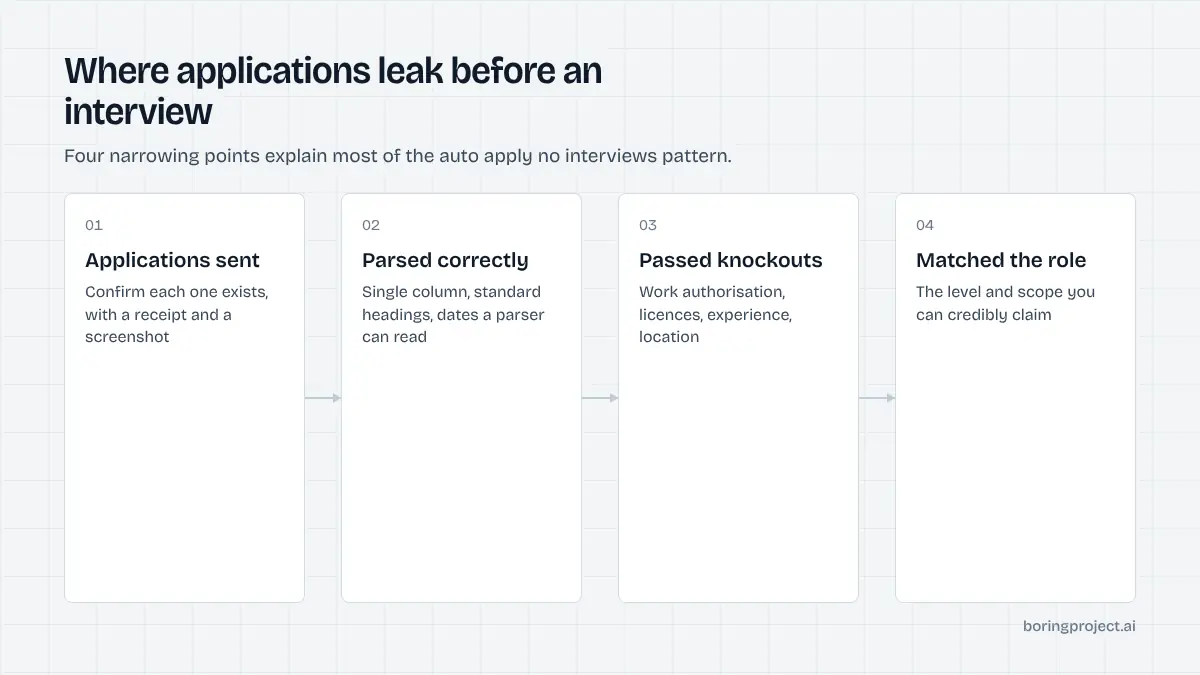
Fixes 1 and 2: confirm the applications exist
Before changing anything, work out which stage is failing. Silence can mean four different things, and each has a different fix.
1. Verify submissions with receipts
Open your tool's log. For each application you want a status, a timestamp and ideally a screenshot of the confirmation page.
If the log says only "applied", pick five recent entries and look for the employer's acknowledgement email. No email and no receipt means you cannot assume anything was sent.
Tools that fail silently on CAPTCHAs, timeouts or required fields are common. If a meaningful share of your "applications" never reached the employer, that explains the silence and nothing else on this page matters until it is fixed.
2. Separate rejections from silence
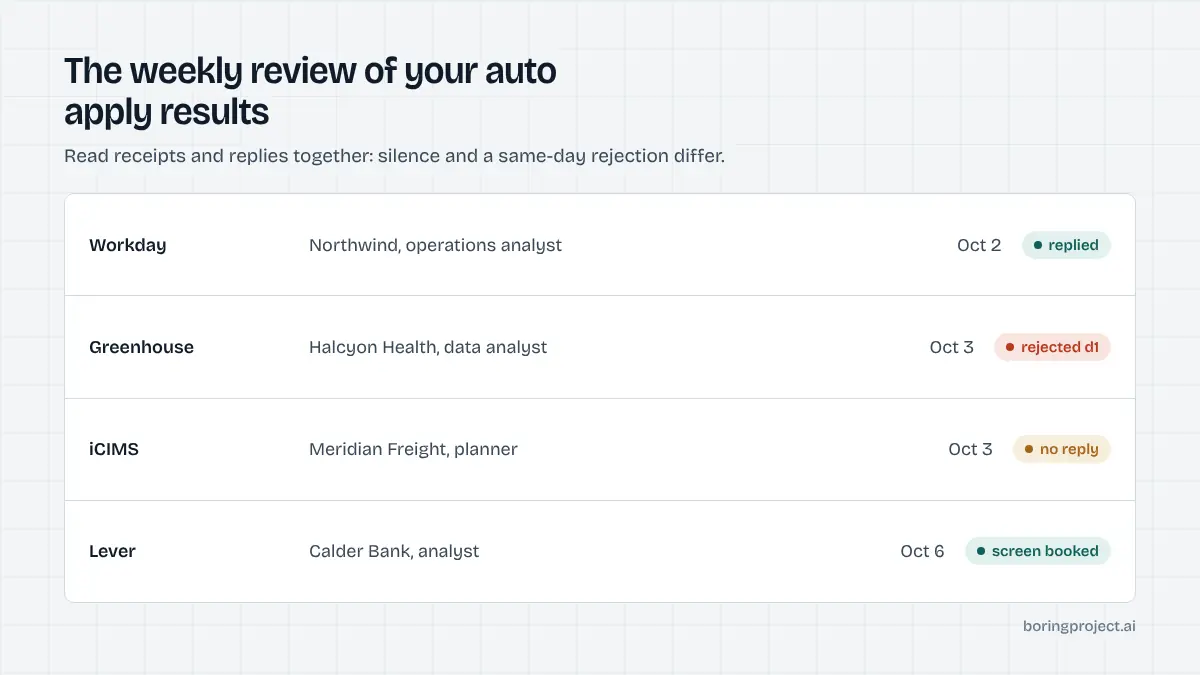
Instant rejections and total silence are different symptoms. Same-day rejection emails usually point to a failed knockout question.
Silence over weeks points more to targeting, parsing, or volume at the employer's end. Sort your last month into those two buckets before reading further.
| What you see | Most likely cause | Where to look |
|---|---|---|
| No acknowledgement emails at all | Applications never submitted | Tool log, receipts, spam folder |
| Rejection within a day | Failed knockout question | Stored screening answers |
| Rejection after one to two weeks | Weak match or parsing errors | Targeting filters, resume layout |
| Occasional screening calls, then nothing | Fit is close but not right | Role seniority and resume variant |
The table is a starting point, not a diagnosis. Most people find two of these at once, which is why the fixes below are ordered rather than optional.
Fixes 3 to 5: what you are sending
These three cause most of the auto apply no interviews cases we see. Work through them in order.
3. Targeting is too wide
Automation makes it painless to apply to anything with a matching title. The result is applications to roles two levels above or below you, in cities you will not move to, or in industries where your experience does not transfer.
Tighten filters until the feed looks like a list you would apply to by hand. Seniority, location type, salary floor and a short list of excluded employers do most of the work. A narrower stream with a higher match rate produces more interviews than a wide one.
While you are there, stop sending one resume everywhere. Two or three variants for your target role types, each mapped to a filter, improve what a recruiter sees in the first ten seconds.
4. Your resume does not parse
Most applicant tracking systems extract text from your resume into structured fields. Two-column layouts, text in tables, icons, headers and footers, and unusual section names all confuse parsers. The tool fills in whatever the parser produced, which may be wrong.
Apply once by hand to any Workday or iCIMS posting and inspect the parsed preview. If job titles or dates are scrambled, rebuild the resume in a single column with standard headings. This one change often fixes problems that looked like targeting issues.
5. Screening answers are wrong or invented
Knockout questions decide a large share of outcomes before a recruiter is involved. If your tool guessed "yes" to a certification you do not hold or "authorised" to a work status that does not apply, you may pass the form and fail the review, or be rejected automatically. The mechanics are covered in how ATS screening questions and knockouts work.
Read every stored answer your tool reuses. Correct the wrong ones, delete the guesses, and prefer a tool that pauses on unfamiliar questions instead of filling them in.
Fixes 6 and 7: how you run the tool
Once the inputs are right, the remaining leaks are operational.
6. Deduplicate and respect location
Aggregated feeds often show the same role several times. Applying to each copy marks you as careless and can trigger duplicate-candidate handling in the ATS. Equally, applying to on-site roles far from your stated location is a near-certain rejection.
The patterns employers notice are listed in why automated applications get rejected. Deduplicate by employer and title, keep one list of job URLs across every tool you use, and make location filters strict.
7. Cap volume and close the loop
Hundreds of applications a week feel productive. They also make it impossible to follow up, notice which employers reply, or learn anything from the pattern. Set a daily cap you can review.
Then keep a simple sheet with employer, role, date, platform and outcome. Once a week, note every reply. Over a month this shows which role types, platforms and resume variants produce results, which is the only reliable way to improve your auto apply results rather than guessing.
If after a month of corrected inputs and a capped, tracked stream you still have auto apply no interviews to show for it, the problem is upstream of any tool: the role you are targeting, the market you are in, or the experience on the resume. That is useful information too, and it is far cheaper to learn it from a clean log than from another thousand unfiltered submissions.
Frequently asked questions
How long should I wait before deciding auto apply is not working?
Two to three weeks of submissions at a steady rate is enough to see a pattern. Employer response times vary, but if several dozen well-targeted applications have produced no acknowledgements, screening calls or rejections at all, the issue is upstream: the applications are not landing, are not parsing, or are being filtered out before a human sees them.
Is a low response rate normal even with good applications?
Yes. Most applications to most roles do not lead to interviews, regardless of how they were submitted. The question is not whether you are hearing back from everyone but whether your rate is improving as you fix the causes on this page. Track replies per application source and per role type so you can see which changes move the number.
Should I stop using automation entirely?
Not necessarily. Automation removes the typing, not the thinking. If your targeting, resume and screening answers are sound, automation sends more correct applications in less time. If they are not sound, automation sends more incorrect ones. Fix the inputs first, then decide whether the tool is still worth running.
Can I tell whether my resume parsed correctly inside the ATS?
Sometimes. Platforms like Workday and iCIMS show a parsed preview during a manual application; apply once by hand to a test posting and look at what landed in each field. If names, dates or titles are scrambled, simplify the layout. A tool that returns a screenshot of the completed form also lets you inspect this after the fact.
Does applying to more jobs compensate for a weaker profile?
Rarely. Volume widens the top of the funnel, but a profile that fails knockouts or parses badly fails them at every employer. Doubling applications from a weak base mostly doubles rejections. A smaller number of applications to roles you clearly match, with accurate answers, usually produces more interviews than a large unfiltered stream.
Why do I get instant rejections after automated applications?
Instant or same-day rejections usually mean a knockout question was failed: work authorisation, a required licence, minimum experience, or location. Review the stored answers your tool uses and compare them to the posting's requirements. If a tool guessed an answer to get through the form, correct it or switch to one that asks you instead.
Next step
If you want automation that does not create the problems above, the job application API behind Search + Apply requires your consent on each application, never fabricates screening answers, deduplicates against your history, and returns a screenshot receipt with every status. It makes the diagnosis on this page a five-minute look at a log rather than a guessing game.