 The Boring Project
How to Auto Apply on Phenom People Job Portals
Phenom is a talent CRM and career-site layer rather than an ATS, so a phenom career site application is really two problems: navigating Phenom's front end, then completing whichever ATS form it hands off to.
What Phenom is, and what it is not
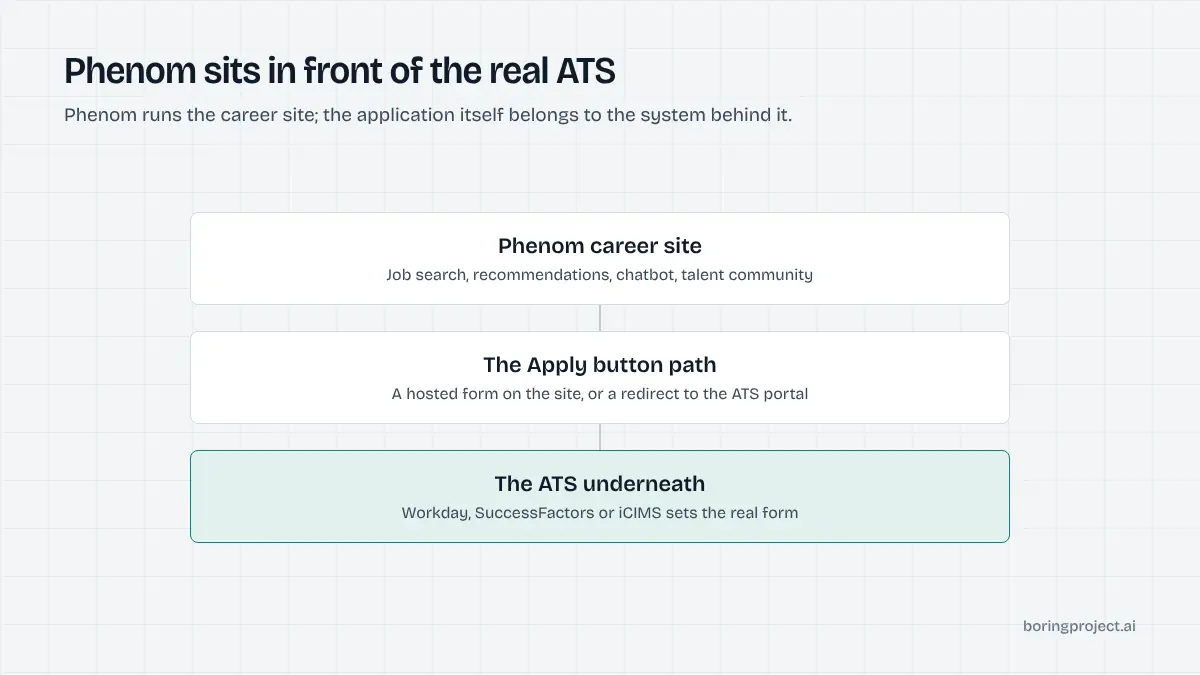
Large employers buy Phenom to make their careers site feel like a consumer product: personalised job recommendations, a conversational assistant, campaign landing pages, and a talent community that keeps passive candidates warm. None of that replaces the applicant tracking system. Phenom connects to the ATS and either hosts the application form itself or redirects the candidate to it.
The layered architecture
A Phenom site is typically served from the employer's own domain, something like careers.company.com. The job search, job detail pages, and chatbot are Phenom. The application record, screening logic, and recruiter workflow live in the ATS behind it, commonly Workday, SAP SuccessFactors, iCIMS, Oracle, or Taleo.
Why that matters for automation
An agent cannot learn one Phenom form and reuse it. It has to detect the Phenom layer, locate the real apply action, and then switch to the playbook for whichever ATS appears next. Knowing how to auto apply on Phenom is therefore mostly about handling that handoff cleanly.
The three apply paths
Across Phenom customers there are three ways an application can proceed, and a single employer may use more than one depending on the role or region.
| Path | What the candidate sees | Where the form lives |
|---|---|---|
| Hosted apply | Form opens on the career site | Phenom front end, submitted to the ATS by integration |
| Redirect | New page on the ATS portal | The ATS itself |
| Chatbot apply | Questions inside the chat widget | Phenom, passed to the ATS |
Following the handoff
Here is how an automated run moves through a Phenom site, with the consent check and receipt capture that apply to every system.
Detecting the layer and the Apply action
After confirming the candidate's consent for the specific job, the agent loads the job page and identifies Phenom from the page structure and scripts. It then finds the primary Apply action, distinguishing it from nearby calls to action such as saving the job, sharing it, or joining the talent community.
Those secondary prompts are dismissed, not clicked. Phenom pages also personalise content based on prior visits, so the agent starts each run in a clean session to avoid being shown a different layout from one candidate to the next.
Hosted apply
When the form opens on the career site itself, the agent fills it as a Phenom-rendered form. Fields usually include contact details, a resume upload, and a set of screening questions mirrored from the ATS.
Some hosted flows also ask for consent to data processing and offer an optional sign-in. On submit, Phenom's integration writes the application into the ATS, and the agent captures the confirmation screen.
Hosted apply is the path Phenom promotes most strongly, especially with Workday, because it keeps the candidate on one site. For automation it is pleasant: a single page, no account, and a clear confirmation.
Redirect to the ATS, and why the chatbot is skipped
When the Apply button navigates to the ATS portal, the agent follows the redirect, recognises the destination system, and switches playbooks. A redirect to Workday means the account and multi-page flow described in our Workday auto apply guide. A redirect to an Oracle career site brings the verification code covered in the Oracle Recruiting Cloud guide.
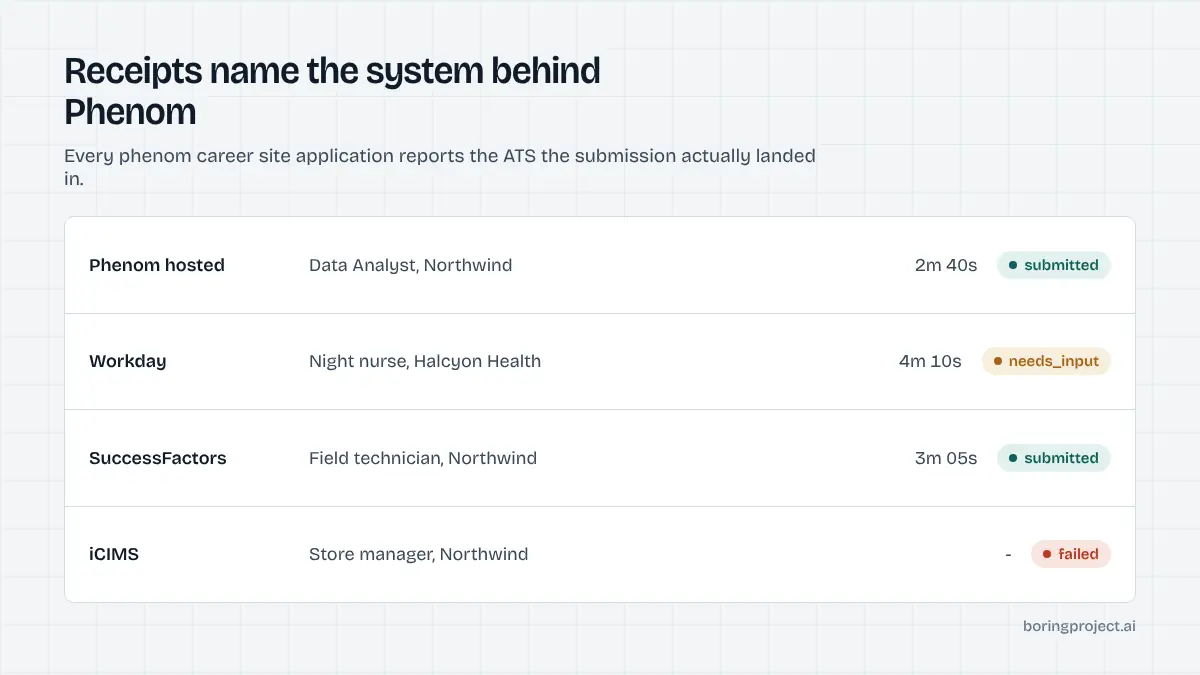
The webhook reports which system the application actually landed in. Redirect chains can be several hops long, passing through tracking parameters and a Phenom interstitial before reaching the ATS, so the agent follows them to the final form and records the final URL in the receipt.
The chat widget can recommend roles, answer questions, run screening, and schedule interviews, and on some sites it can begin an application by collecting contact details and a resume. The agent does not use this route.
Chat flows vary by employer, produce weaker confirmation evidence, and are designed for human conversation. The Apply button path reaches the same ATS with a cleaner audit trail.
Pauses, receipts, and etiquette on Phenom sites
Pauses belong to the ATS
Phenom itself rarely stops a run. The pauses come from the destination: account creation, verification codes, assessments, open-ended questions, and missing documents. Each needs_input message tells the candidate which system is asking and for what, so the experience is not confusing when a Phenom job turns into a SuccessFactors form.
Talent community restraint
Phenom sites push talent community sign-up through modals, footers, and post-apply prompts. Enrolling a candidate creates a stream of recruitment marketing emails. Automation never enrols a candidate unless they explicitly asked for it, and it dismisses the prompts on the way to the form.
Receipts across the handoff
Whichever path the application takes, the final confirmation screen is captured as a screenshot and returned with a submitted status, along with the final URL. For redirect flows, that screenshot comes from the ATS, not from Phenom, which is the record a recruiter would recognise. Per-employer rate limits apply to the employer as a whole, regardless of how many Phenom landing pages point to the same ATS.
Frequently asked questions
Is Phenom an applicant tracking system?
No. Phenom is a talent experience and CRM platform that sits in front of an employer's ATS. It powers the career site, job search, chatbot, and talent community, then passes applications into systems such as Workday, SAP SuccessFactors, or iCIMS. The ATS behind it determines what the actual application form looks like.
How do I tell a careers site is built on Phenom?
Phenom sites are usually served from the employer's own domain, such as careers.company.com or jobs.company.com, so the URL alone does not reveal it. The page markup, scripts, and the characteristic layout with a prominent job search, personalised recommendations, and a chatbot bubble are the practical signals.
What is the difference between hosted apply and redirect on Phenom?
With hosted apply, the application form is rendered on the Phenom career site and submitted to the ATS through an integration, so the candidate never leaves the site. With redirect, clicking Apply sends the candidate to the ATS's own portal to complete the form. Many employers use redirect for at least some roles.
Can automation apply through the Phenom chatbot?
The chatbot can collect contact details, answer questions about roles, screen candidates, and schedule interviews, and on some sites it can start an application. Automation treats the chatbot as a side channel and uses the Apply button path instead, since the form-based route is more predictable and produces a clearer receipt.
What are the talent community prompts?
They are modals and banners inviting visitors to join the employer's talent community by leaving an email and preferences. Joining is not applying. Automation dismisses these prompts and does not enrol candidates in a talent community unless the candidate specifically asked for that, because it generates ongoing marketing emails.
Where does a Phenom application pause for input?
The pauses belong to the underlying ATS rather than to Phenom itself: account creation, verification codes, open-ended screening questions, missing documents, and assessments. The webhook names the system the application landed in, so a candidate knows whether they are completing a Workday step or an iCIMS one.
Next step
Enterprise employers on Phenom are common in job-board and staffing feeds, and the ATS behind each one varies. Managed Applies follows the handoff for you and returns a receipt from the system where the application landed, with per-application pricing. Talk to sales to run a pilot batch.