 The Boring Project
How Long Does Workday Take to Respond?
How long does Workday take to respond? The software does not decide; the employer does, and this explains the three patterns behind workday application response time and what each one means.
Why there is no single answer
Each employer configures its own tenant
Workday is sold as a separate instance per employer, so notification behaviour, rejection timing and status updates are configured by each company independently. Two candidates applying through Workday at two companies are experiencing two different configurations of the same product.
This is why asking how long does workday take to respond produces wildly contradictory answers from people who are all telling the truth. One employer sends an acknowledgement, a status change and a prompt rejection. Another sends nothing from submission onwards.
The three patterns you will actually see
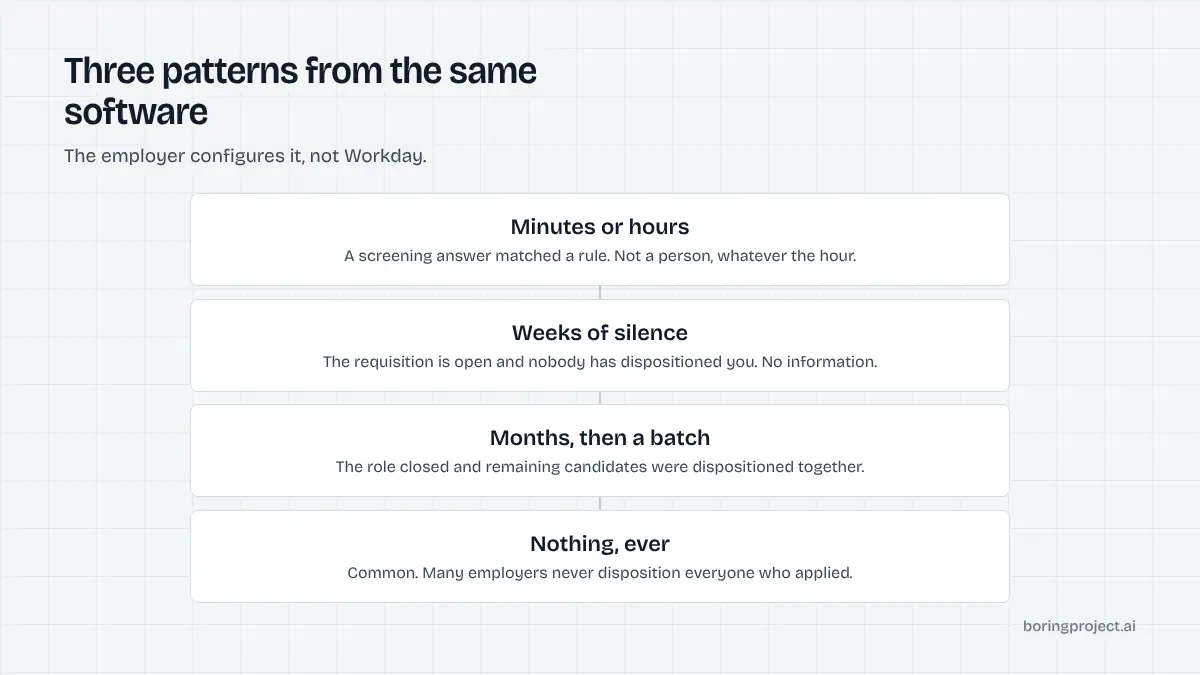
A reply within minutes or hours is almost always automated, triggered by a screening answer that matched a disqualifying condition. It was not a person, and the hour it arrives at tells you that, covered in does Workday auto reject applications.
Weeks of silence with the status unchanged is the most common pattern, and it means the requisition is open and nobody has dispositioned you. It carries no information, which is covered in why an application says in progress.
A rejection arriving months later, often in a batch with many other candidates, means the role finally closed and the remaining applications were dispositioned together.
Realistic expectations
For a genuine human response, several weeks is normal and a month or more is common. Teams interview shortlists over long periods while every other application sits untouched. If you are waiting on a decision as a signal, you will usually be waiting on something that never arrives.
Reading the timing
Minutes means a rule fired
Fast rejections are knockout answers, not judgements about your experience. Look back at the yes or no questions on the form rather than at your resume, because that is where it happened and it is the part you can control next time.
Silence is the default, and delay is not a verdict
Most applications end with no notification at all. Requisitions close without every candidate being dispositioned, notification settings are left off, and emails land in spam. Treating silence as information is reading something that is not there.
Length is not a signal of disinterest. Approval chains, a hiring manager on leave, a budget review or a reshuffled shortlist all stretch timelines without anyone deciding anything about you. Large organisations running Workday tend to have more of these steps, which is why the same role at a fifty-person company moves in two weeks and at a fifty-thousand-person company takes two months.
The practical consequence is that you should not read delay as rejection, and equally should not treat a slow process as a reason to stop applying elsewhere. Both readings cost you.
Check the requisition instead
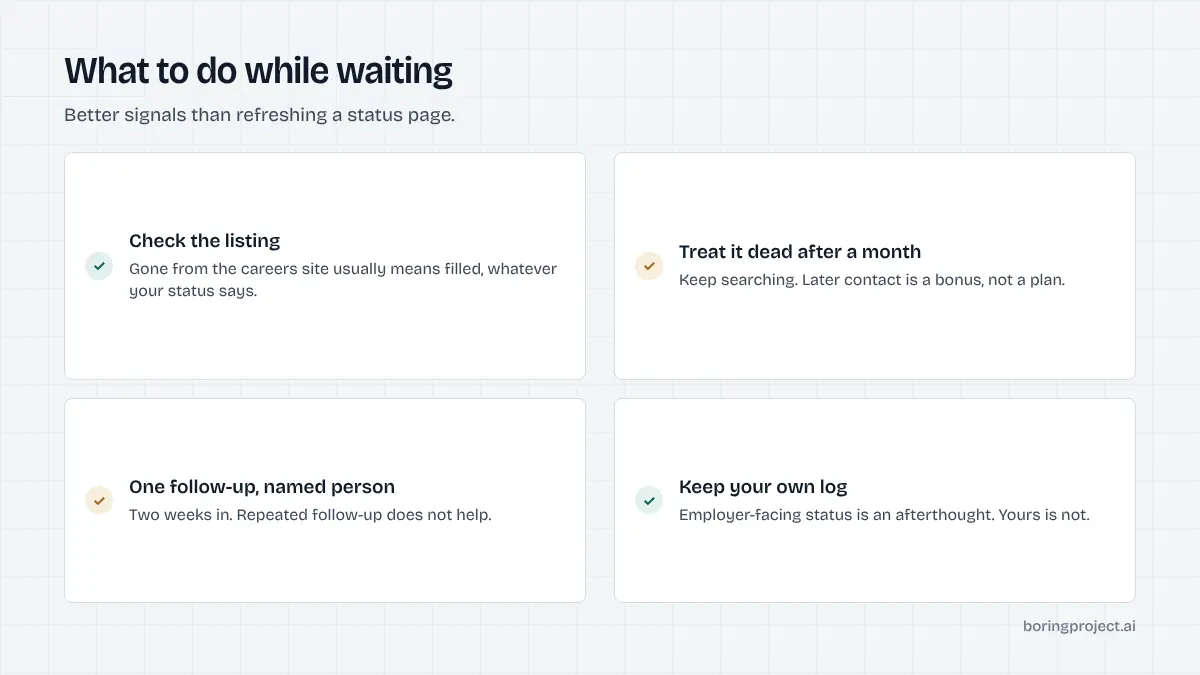
A more reliable signal than any status or email is whether the job is still posted on the company's careers site. If the listing has gone, the role is likely filled regardless of what you have heard. If it is still up after two months, the process is slow rather than finished.
What to do while waiting
Treat it as dead after a month
Continue searching as though the application does not exist. Any later contact is a bonus. This is not pessimism, it is an accurate model of how these processes end.
Follow up once, to a person
Around two weeks in, a short message to a named recruiter confirming interest is worth sending. Repeated follow-up does not help, and asking why a status has not changed rarely produces an answer, because the person reading your message often sees the same screen you do.
Keep your own record
Since employer-facing status is unreliable, your own log of what you applied for and when is the only dependable view. That is also the reason The Boring Project returns a receipt for every application it files: not knowing what happened is the normal state of this industry, and it does not have to be.
Frequently asked questions
How long does Workday take to respond to an application?
There is no fixed time, because each employer configures its own Workday tenant and sets its own notification behaviour. Automated rejections from screening answers can arrive within minutes. Human responses typically take several weeks, and many applications receive no response at all.
Why did I get a Workday rejection within minutes of applying?
A screening answer matched a disqualifying condition, so the application was closed at submission and the notification went out automatically. The speed, and the fact that these often arrive overnight or at weekends, is the signature of a rule rather than a recruiter.
Is no response from Workday a rejection?
Usually in practice, though not formally. Many employers close requisitions without dispositioning every candidate, so applications simply stop moving. Treating an application as dead after about a month is a realistic approach.
How long does the status stay in progress?
Indefinitely. It means the requisition is open and you have not been dispositioned, not that anyone has read your application. Some applications are dispositioned in bulk months later when the role closes, and some never are.
Should I follow up on a Workday application?
Once, about two weeks after applying, to a named recruiter rather than a generic address. Beyond that it rarely helps. Checking whether the job is still posted on the careers site is a more informative signal than following up again.
Does applying through Workday take longer to get a response than other systems?
The response time is set by the employer rather than by the software, so there is no inherent difference. What does differ is the application itself: Workday forms are typically longer and often require an account, which affects how many applications you can send rather than how fast anyone replies.
Next step
Rather than refreshing a status page, check whether the roles you are waiting on are still listed on the company careers site. That tells you more in two minutes than a month of waiting on a notification that may never be configured to send.