 The Boring Project
Why a New Workday Account for Every Job?
Why do I have to make a new Workday account for every job? Because there is no shared account to sign into; this explains the tenant model behind needing a workday account every company and what actually helps.
The reason is architectural, not malicious
Every employer runs its own tenant
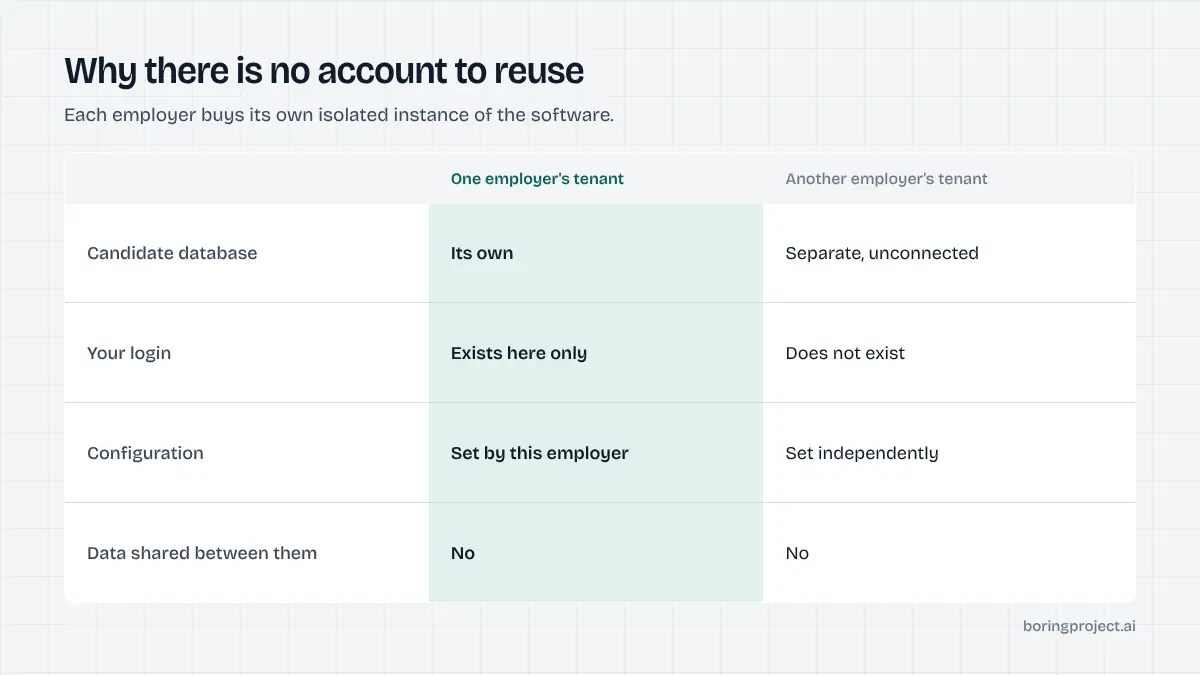
Workday is sold to employers as a tenant: a separate instance of the software with its own database, its own configuration and its own user records. When a company buys Workday, it gets its own sealed copy.
Your candidate account lives inside one tenant. It is a row in that company's database and nowhere else. When you move to another employer's careers site, you are arriving at a different instance that has never heard of you. There is no central Workday identity, so there is nothing to log in with.
So the answer to why do i have to make a new workday account for every job is that there is no account to reuse: the one you made last week lives in a different company's database. This is worth stating plainly because the usual assumption is worse: people assume it is laziness, or a dark pattern to inflate engagement numbers. It is neither. It is a consequence of selling isolated instances to enterprises who want their candidate data in their own tenant.
Why the isolation is deliberate on the employer's side
Enterprises buying HR software generally want candidate data contained. Recruitment records carry legal obligations around retention, deletion and jurisdiction, and a shared cross-employer identity would mean sharing personal data between competing companies. Most legal teams would refuse it.
So the thing that makes applying miserable is the same thing that keeps one employer from seeing where else you have applied. That trade is rarely explained to candidates, and the benefit is invisible while the cost is felt on every single application.
Why your resume gets retyped
The second complaint always arrives with the first. You upload a resume, Workday parses it into fields, and then asks you to check and correct every field by hand.
Parsing is unreliable across the enormous variety of resume layouts, so the correction step exists because the alternative is a database full of wrong data. Knowing that does not make it less tedious, but it does tell you something useful: a simpler resume layout means less to correct. Single column, plain headings, contact details in the body rather than a header.
What actually helps
Use a password manager and stop fighting it
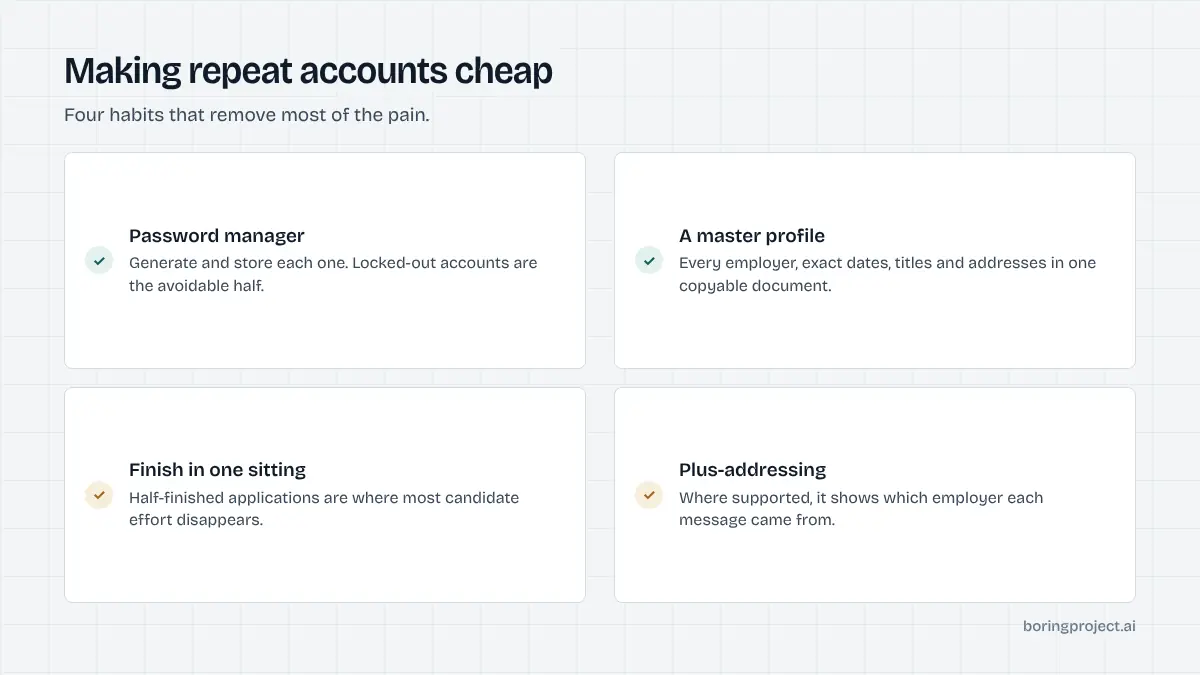
Knowing why do i have to make a new workday account for every job does not remove the work, so the practical answer is unglamorous. You will create dozens of these accounts and you cannot avoid it, so make creation cheap: a password manager that generates and stores each one, and plus-addressing on your email if your provider supports it, so you can see which employer a message came from.
People routinely report being locked out of Workday accounts they created weeks earlier, because they invented a password on the spot and never recorded it. That is the avoidable half of this problem.
Keep a master profile to copy from
Since you will retype the same employment history repeatedly, keep one plain text document with every field these forms ask for: employer names, exact start and end dates, job titles, addresses, manager names, salary figures, reasons for leaving, education dates, references.
The slow part of a Workday application is rarely typing. It is going to find the month you started a job four roles ago. Having it in one place in a copyable form turns a twenty minute application into a six minute one.
Finish in one sitting
Partially completed Workday applications are where most candidate effort disappears. People get halfway, decide to come back later, and never do, because returning means logging back into an account they may not remember creating.
If you have started, finish. The friction that makes you want to stop is working in your favour on the other side: hiring managers have observed that roles posted through Workday attract fewer applicants than the same role elsewhere, precisely because so many people abandon the form.
What this means at scale
For one job seeker
Accept the account creation as a fixed cost, reduce it with a password manager and a master profile, and spend your judgement on which Workday roles are worth twenty minutes rather than on fighting the system. Our note on whether Workday auto rejects covers what happens after you submit, which is the part people worry about for the wrong reasons.
For anyone applying on behalf of others
This is where the tenant model stops being an annoyance and becomes a structural problem. A staffing agency placing candidates has to create an account per candidate per employer, complete each multi-page form, and keep evidence of what was submitted. There is no bulk path, no shared identity and no API intended for third-party applying.
How we handle it
That gap is the reason our job application API exists. We maintain an adapter per applicant tracking system, including the account creation step that Workday requires, and return a receipt for every attempt, so a team placing hundreds of candidates gets one schema instead of one account per tenant. The practical mechanics of the Workday flow are in our guide to applying on Workday.
Frequently asked questions
Why does Workday make me create a new account for every company?
Each employer runs its own Workday tenant, which is a separate instance of the software with its own database and its own user records. Your account exists inside one company's tenant and nowhere else, so there is no shared login to reuse. It is a consequence of how the product is sold to enterprises rather than a deliberate obstacle for candidates.
Can I use the same email across different Workday accounts?
Yes. The email is just a field in each tenant's own database, so the same address can exist independently in many of them. What you cannot do is reuse the account itself. Many people use plus-addressing, where supported, to tell which employer each message came from.
Why do I have to retype my resume after uploading it?
Workday parses the uploaded file into structured fields and then asks you to verify them, because resume parsing is unreliable across the huge range of layouts people use. The verification step exists to stop bad data entering the database. A single-column resume with plain headings parses more cleanly and leaves less to correct.
Why do I keep getting locked out of Workday accounts?
Usually because the account was created in a hurry with a password that was never recorded, then not touched for weeks. Since you will create many of these, a password manager removes the problem entirely. Account recovery differs per tenant because each employer configures its own.
Is there a way to avoid Workday applications altogether?
You can skip them, and many candidates do, but it narrows your search considerably since Workday is widespread among large employers. The more useful framing is that the friction suppresses applicant numbers, so roles posted through Workday sometimes have thinner competition than the same role on a simpler system.
How do staffing agencies handle this at volume?
Not by hand, because it does not scale. Applying for many candidates across many employers means an account per candidate per tenant, each multi-page form completed, and evidence kept of every submission. Teams doing this at volume use application infrastructure that maintains an adapter per system and returns a receipt for each attempt.
Next step
Before your next Workday application, spend ten minutes building the master profile: every employer, exact dates, titles, addresses and salary figures in one copyable document. It is the single change that makes the rest of these applications tolerable.